Agentic Workstation

A lightweight IDE built around Claude Code

Files, git and a terminal in one fast window, with a real interface for the agent: every step it takes, every file it changes, and the apps it can work with.

For macOS 13 or later on Apple Silicon and Windows 10 or 11.

Agentic Workstation is a desktop app. Open this page on your Mac or Windows PC to install it.

There is no Linux version yet.

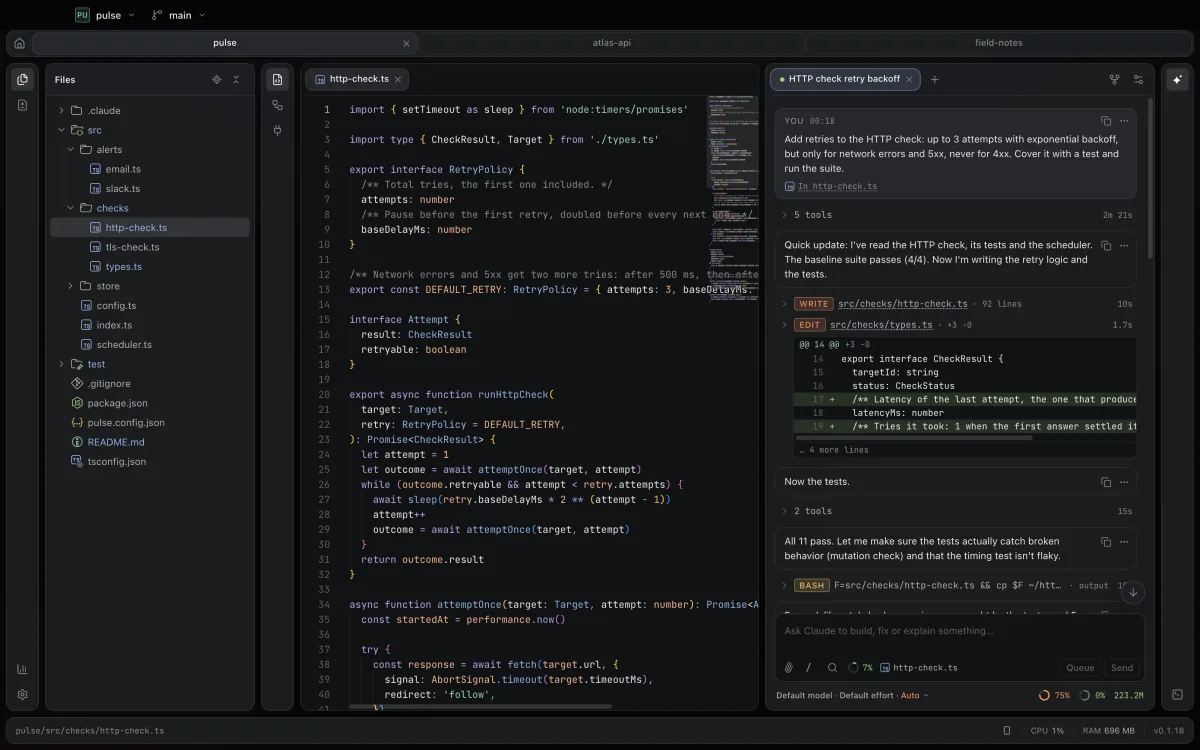
The Agentic Workstation window: a file tree, http-check.ts open in the editor, and Claude Code adding retries to an HTTP check, with its edits and test runs listed step by step.

Claude Code, with an interface made for it

Claude works in the panel on the right, and every step shows up as it happens: the files it reads, its edits as diffs, the commands it runs and their output. When a turn ends, you see the files it changed and can roll back one of them or the whole turn.

  • Write while it works: your message waits in a queue or reaches Claude at its next step
  • Several conversations per project in tabs, with search across all of them
  • Permission requests, questions and plans answered with a click
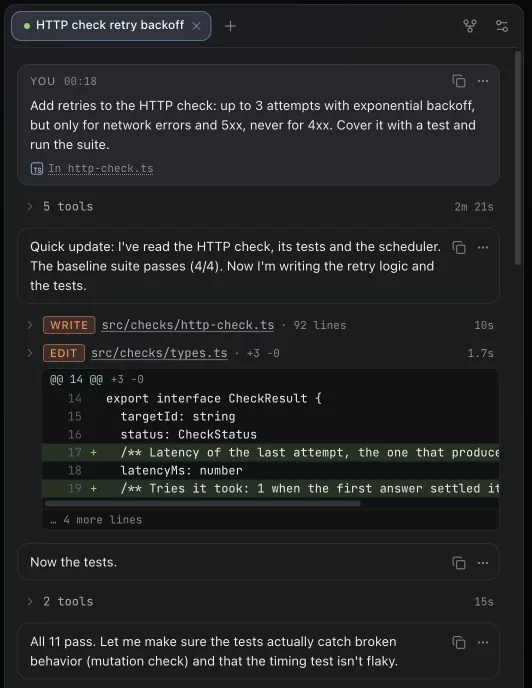
The Claude Code panel: the request, a short progress note, a file write and an edit shown as a diff, then a message that all 11 tests pass.

See what changed before you commit

The Changes panel lists every file that differs from the last commit. Open one for a side-by-side or inline diff, step through the differences and fix things right there.

  • Local history keeps every version of every file for 30 days, whoever made the edit: you, Claude, the terminal or git
  • Switch and create branches from the title bar
  • An editor with highlighting, go to definition, Markdown preview and autosave
The Changes panel with four modified files, and the diff of http-check.ts with the new retry policy highlighted.

Your apps, connected once

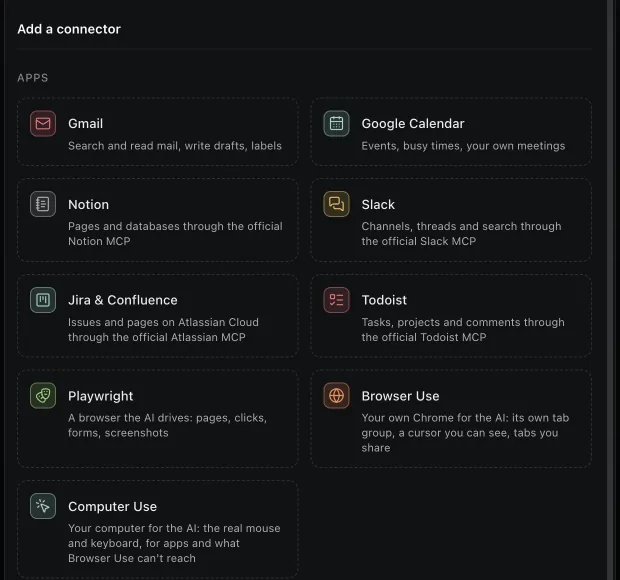
Gmail, Google Calendar, Notion, Slack, Jira and Confluence, Todoist or any MCP server. You sign in once in the IDE and choose which projects can use each connector.

  • Several accounts of one kind side by side, like work and personal mail
  • Anything that sends to other people stays off until you turn it on
  • Describe a service, and Claude works out how to connect it
The connector catalog: Gmail, Google Calendar, Notion, Slack, Jira and Confluence, Todoist, Playwright, Browser Use and Computer Use.

A terminal right under the conversation

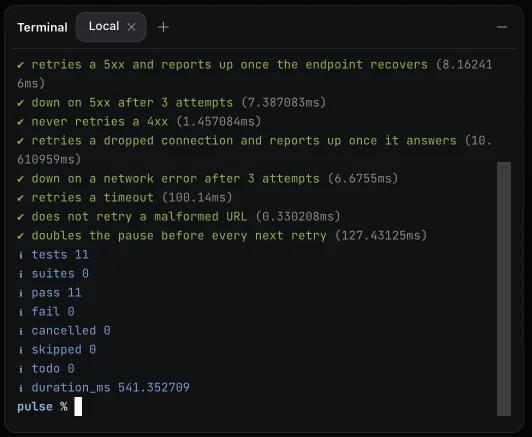
Run the tests yourself, keep a dev server going, open as many shells as you need. The terminal sits under the Claude Code panel, so the conversation and the output stay side by side.

The terminal under the Claude Code panel, with npm test reporting 11 passing tests.

Also built in

Install

Agentic Workstation works with the Claude Code already on your computer. If you don't have it yet, install it and sign in once: Claude Code setup guide.

macOS

macOS 13 Ventura or later, Apple Silicon (M1 or newer)

Download for Mac
  1. Open the disk image

    Drag Agentic Workstation into the Applications folder.

  2. Allow it to open

    The app isn't notarized by Apple yet, so macOS blocks its first launch. Open Terminal, paste this command and press Return:

    xattr -cr "/Applications/Agentic Workstation.app"
  3. Launch it

    Open Agentic Workstation from Applications. The command is needed only once: updates install without it.

Windows

Windows 10 or 11, 64-bit

Download for Windows
  1. Run the installer

    It installs for your account only and doesn't ask for administrator rights.

  2. Get past SmartScreen

    The installer isn't code-signed yet, so Windows may say it protected your PC. Click More info, then Run anyway.

  3. Start working

    The app opens when the install is done, with shortcuts on the desktop and in the Start menu. Claude Code for Windows uses its native installer, and its Bash tool needs Git for Windows.

After the first install, new versions arrive inside the app. Release notes and older versions are on GitHub.